
HOW IT WORKS · UPDATED 20 OCTOBER 2026
Reviewed file transfers
A reviewed file transfer hands data from one system to another as a file that the receiving system checks and accepts before it uses it. SmartFACT Data prepares each file from a saved table version you choose, keeps the file with evidence of its source version and settings, and leaves acceptance to the receiving product: LabelRules for label reference tables and KitProof for kit job files.
Why a file, and why a review
A correction to a code should not change a label or a kit job by surprise. So saving a table changes nothing in another product. You choose the version to send, prepare the file deliberately, and the receiving product shows what it would change before anyone accepts it.
LabelRules reference files
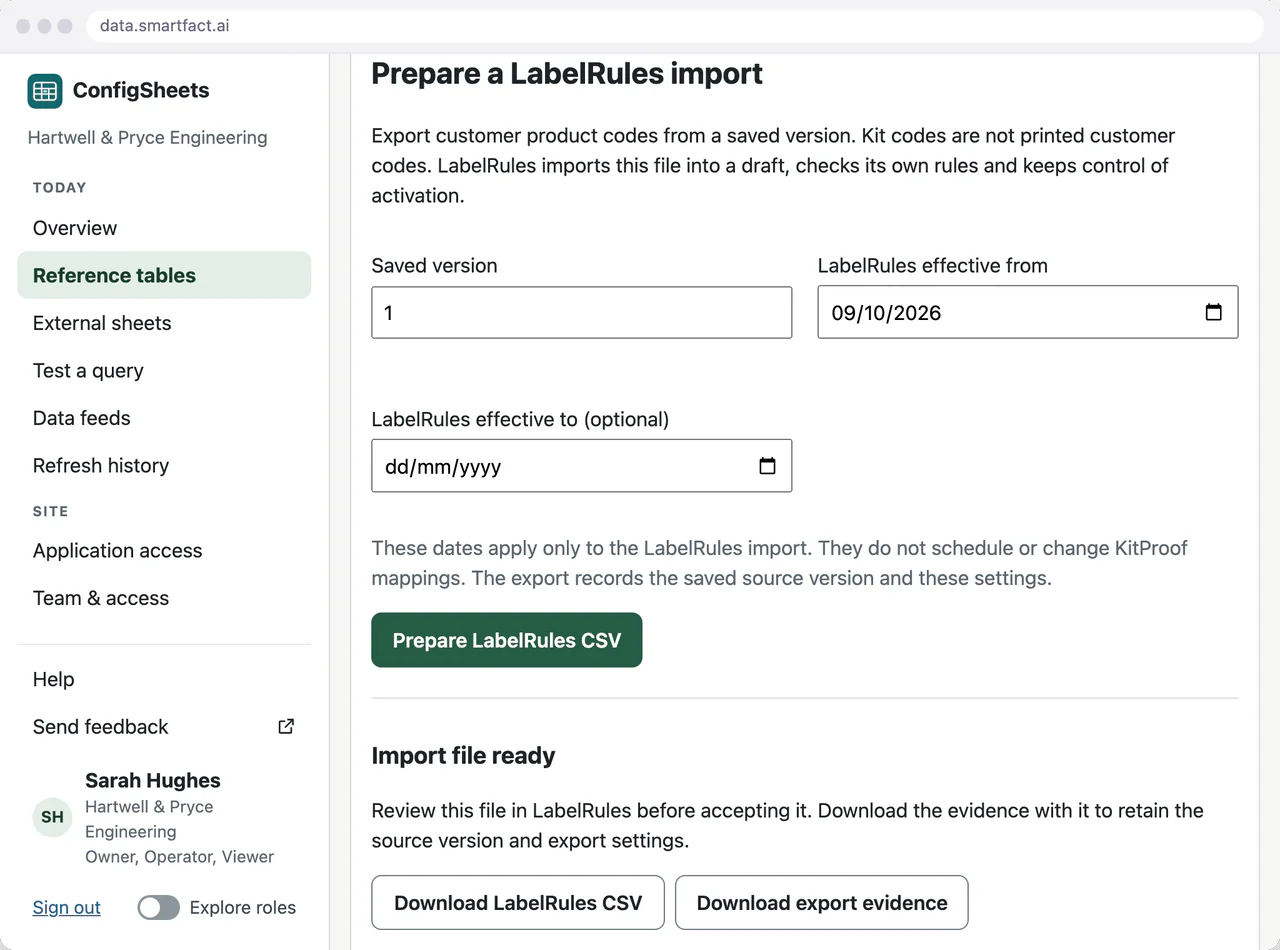
Choose a saved version and the dates the reference applies from, and optionally to, then prepare the LabelRules CSV. SmartFACT Data checks the export evidence against the file, and you download both. The evidence records the saved version and the export settings.
LabelRules imports the file into a draft, checks it against its own rules and keeps control of activation, so a label already in use never changes because a table was saved. Customer codes printed on labels are kept in their own column, apart from kit codes.
KitProof job files
A data feed brings together the agreed source tables, such as orders and customer product assignments, with their column names mapped once when the feed is set up. Preview shows the jobs the file would contain: new, changed and unchanged, with the source rows behind each line. Any error blocks the whole file.
Generating the file keeps it with its evidence and checksums, and gives each changed job a new revision. Earlier files stay downloadable after the sources change. A job missing from a later preview is reported, never turned into a cancellation. KitProof then accepts the file through its own review of changed jobs.
Recovery without guesswork
If KitProof has to be restored from a backup, a supervised recovery exchange reconciles the feeds that were held, and protected files let KitProof reject a file prepared before the restore. Revision numbers are never reset to make a file fit.
What the receiving product decides
- Whether to accept the file, after its own review.
- When the data becomes active, and for which work.
- What the values mean: which label shows a code, which kit a job needs.
SmartFACT Data keeps the values, the versions and the evidence of what was sent.
Questions
Does saving a table immediately change production?
No. Saving keeps a new table version. You prepare a supported output deliberately, and the receiving product applies its own review and activation. Earlier exports and generated KitProof files stay tied to the versions used to make them.
Can other systems receive files the same way?
Other software, such as an ERP, connects through a paid integration that we scope with you and build through data.smartfact.ai. See data into SmartFACT.
Read next
Is one of your config sheets a good place to start?
Tell us what the table holds, who maintains it and which product or system reads it.
Tell us about your data ↗