
HOW IT WORKS · UPDATED 20 OCTOBER 2026
Versioned reference tables
A versioned reference table is a lookup table, such as a list of customer codes, that keeps every saved version, so you can tell which values produced each output. SmartFACT Data checks each proposed change as a whole, saves it as a new version with its reason, refuses an edit made from an out-of-date version and keeps every earlier version available.
Define the table once
Each table has named columns with a type: text, whole numbers, true or false, and cells that may be empty where you allow it. Every row has its own identifier, and one or more key columns must be filled in and unique. Identifiers and decimal values are kept as text, so nothing is rounded or reformatted.
Columns, types and keys are agreed with your team during onboarding, then fixed for that table.
Edit in the grid or paste rows
Edit cells, add or remove rows, or paste CSV or spreadsheet cells with their header row. Pasted rows can be merged into the table by row identifier, or propose a complete replacement. Headers and types are checked, and codes are never trimmed or columns dropped to make a paste fit.
Review the whole change
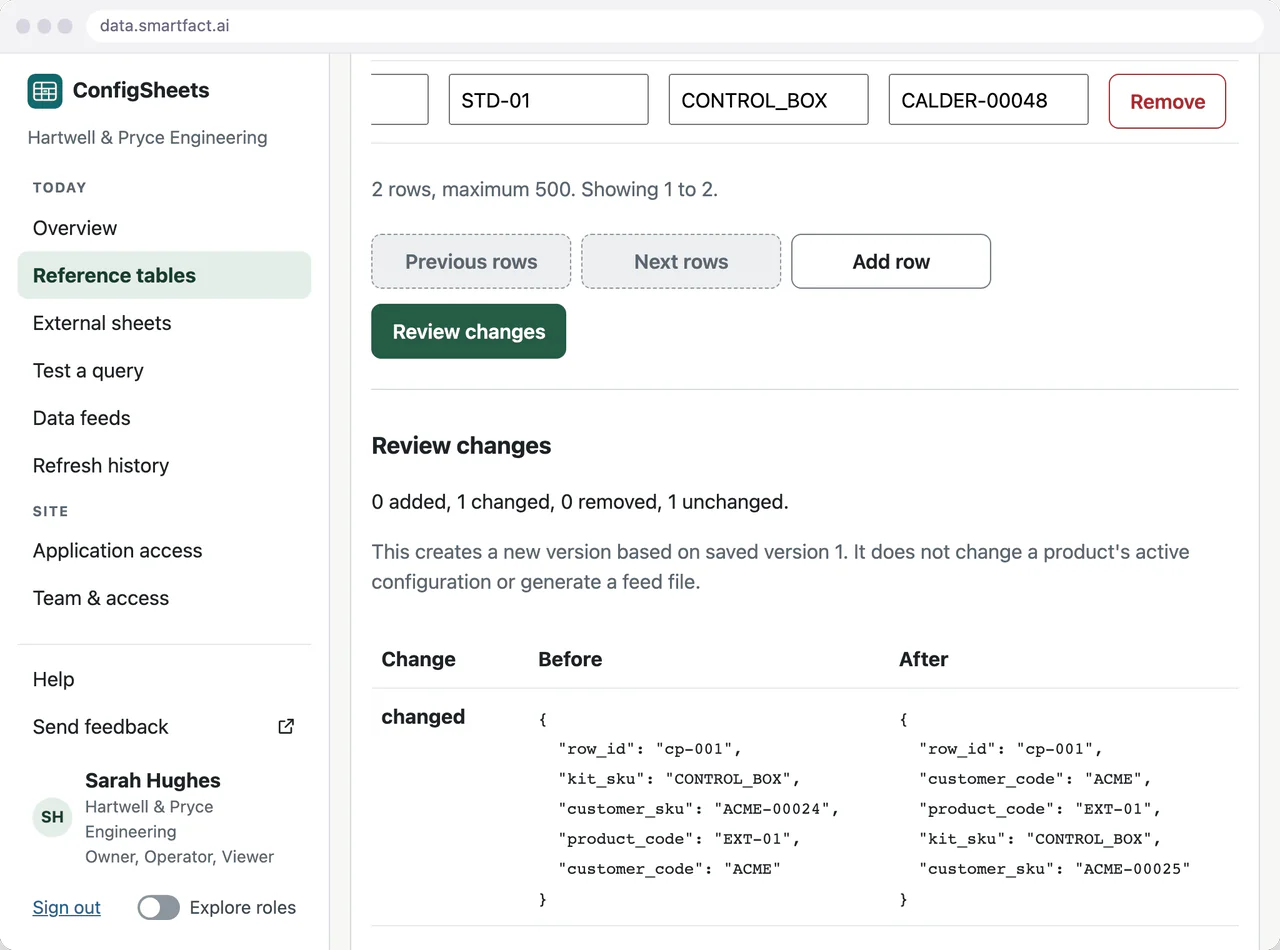
Review checks the whole proposed table and counts what is added, changed, removed and unchanged, with the values before and after. Removals are confirmed explicitly, and a note records why the change was made. The save is bound to exactly what was reviewed.
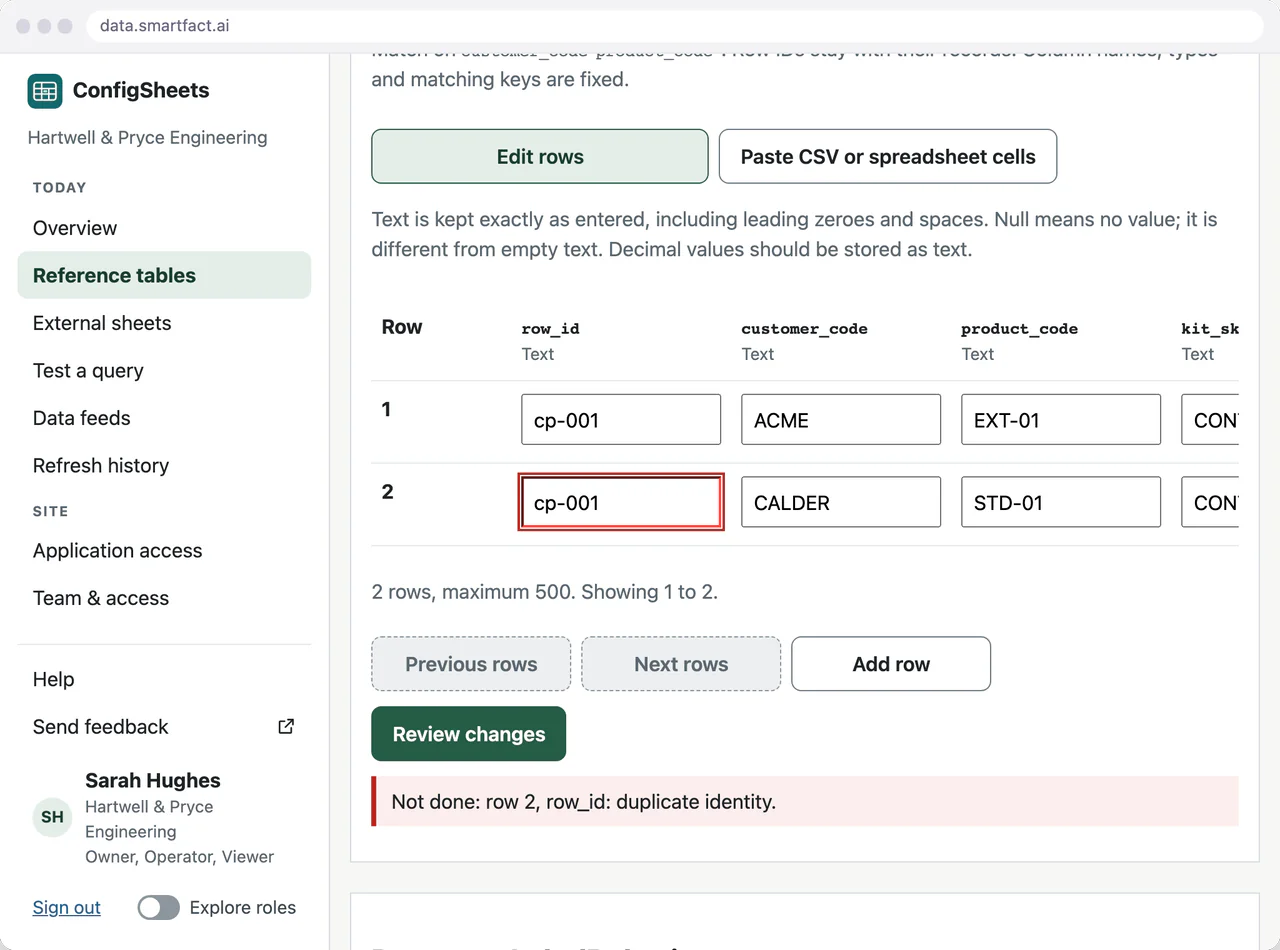
A proposal with a problem, such as a repeated row identifier or an empty key, is refused as a whole. The saved version stays as it was until the draft is corrected.
What if two people edit the same table?
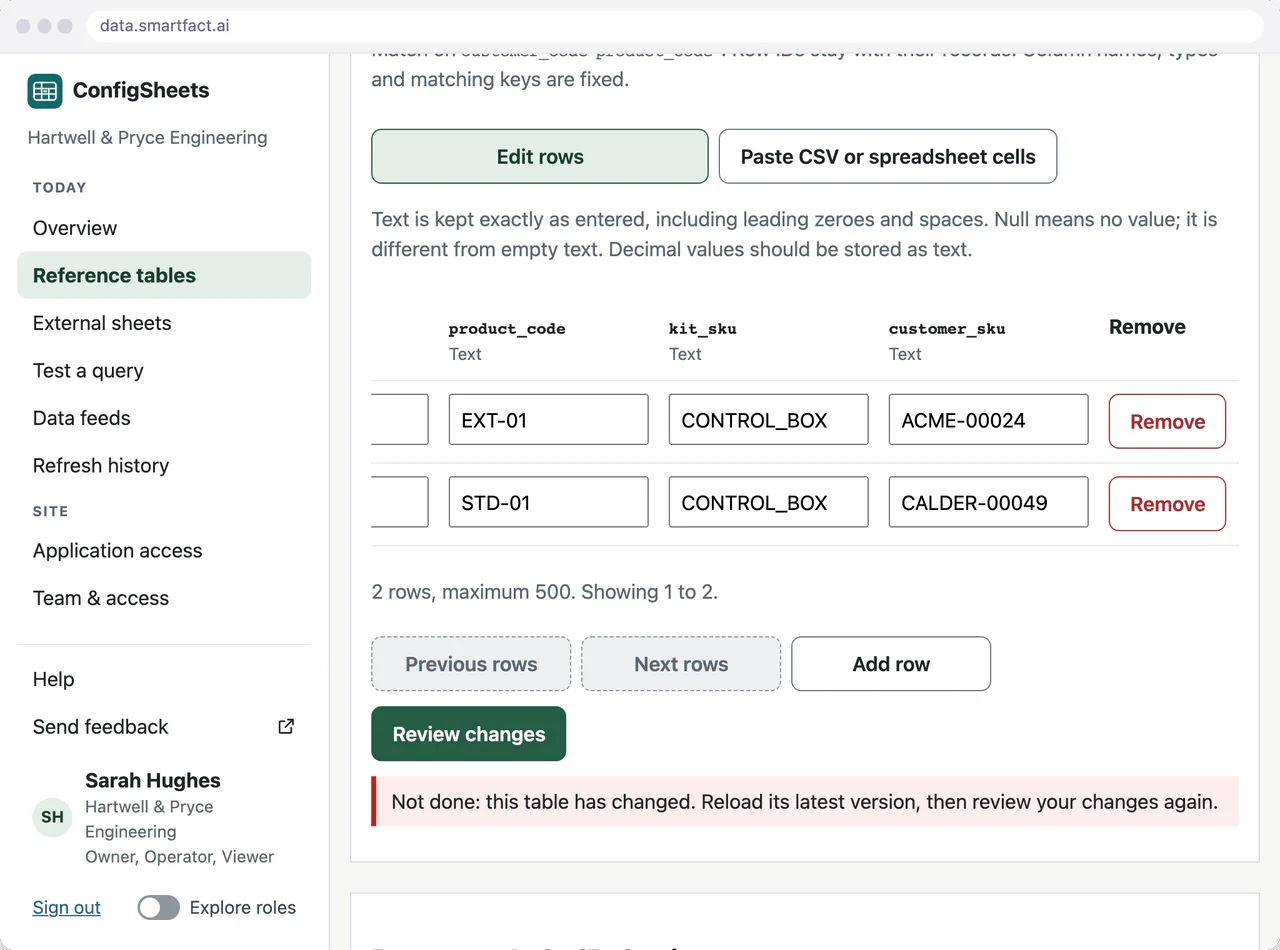
Each draft records the version it started from. If someone else saves a newer version first, review refuses the older draft, so their change is never overwritten. Keep the draft, compare it with the current table, then reload and review a fresh proposal.
Keep every version
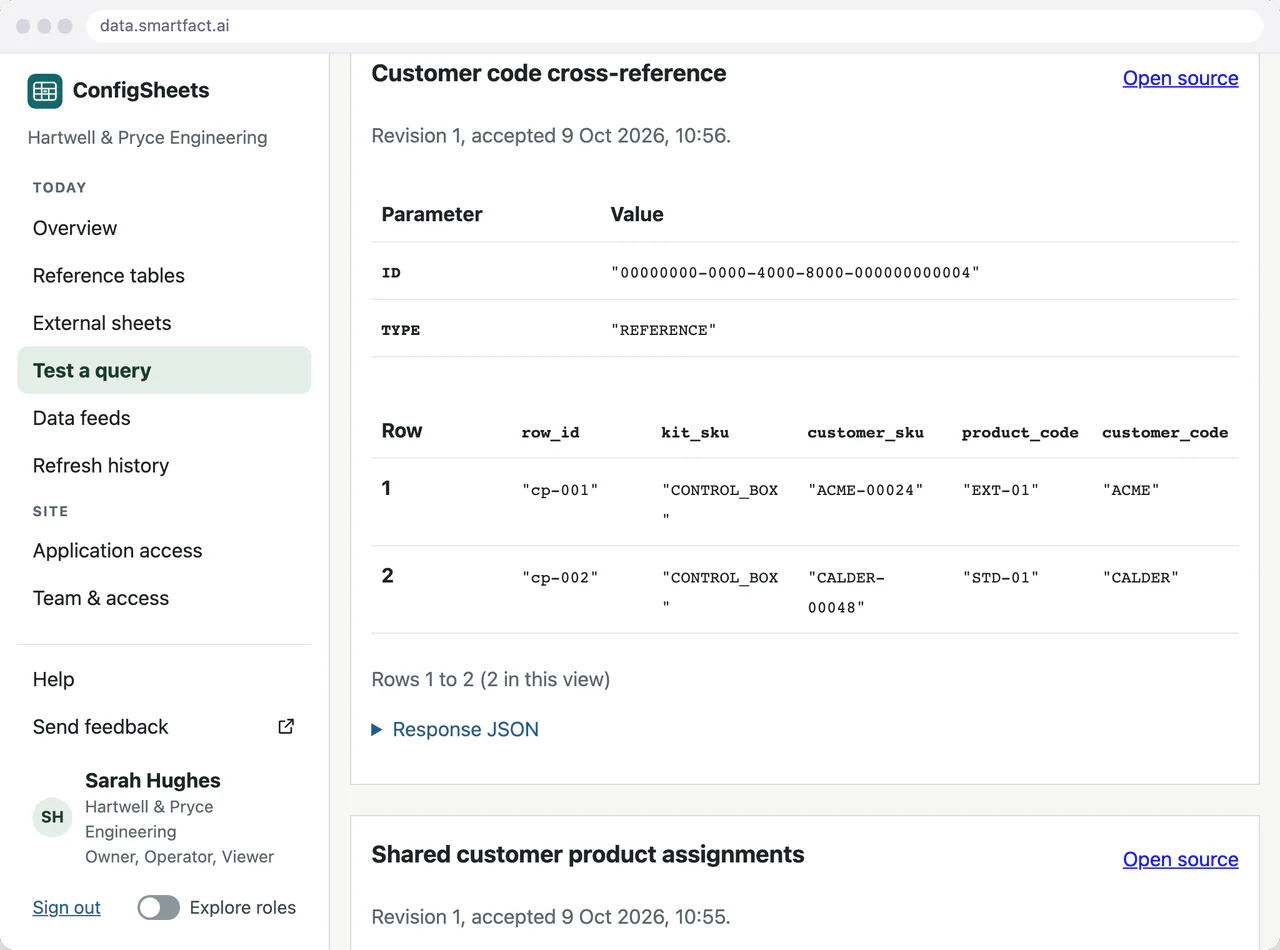
Each save creates a version that never changes, with its rows, author and note. Inspect earlier values when investigating why a label reference or a generated job differed. Look up an exact code to see every table that holds it and the version it came from.
Saving is not activating
A saved version is a set of values, not an active configuration. Saving a table does not generate a file or change any product. The receiving product takes data from a version you choose and reviews it first: see reviewed file transfers.
Who can do what
People sign in through SmartFACT Accounts. Owners set up tables; operators edit them; viewers inspect and export. Setting up a table needs a recent two-factor check. An owner can also download a complete export of the organisation’s data.
Questions
Can we change a table’s columns later?
A table’s columns, types and keys are fixed once it is set up, so every version can be compared with the last. A different layout is set up as a new table.
Does it calculate anything?
No. It keeps values exactly. Spreadsheet formulas are not run, and tables are not joined or transformed.
Read next
Is one of your config sheets a good place to start?
Tell us what the table holds, who maintains it and which product or system reads it.
Tell us about your data ↗